Alexa Routine for Smart Lighting Control
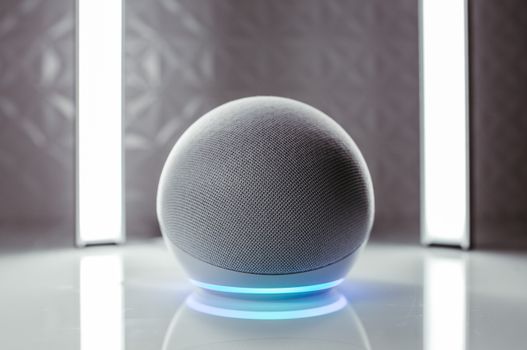
Introduction to Alexa Routine for Smart Lighting Control
An Alexa routine for smart lighting control is a customizable sequence of actions that can be triggered by a voice command, schedule, or smart device. According to Amazon Documentation (2022), Alexa routines can be used to control various smart devices, including lights, thermostats, and security cameras.
What is an Alexa Routine and How Does it Work?
An Alexa routine is a set of actions that can be triggered by a single voice command or schedule. For example, you can create a routine that turns on the lights, adjusts the thermostat, and locks the doors when you leave the house. To create an Alexa routine, follow these steps:
- Open the Alexa app and navigate to the Routines section.
- Click on the + icon to create a new routine.
- Choose the trigger for the routine, such as a voice command or schedule.
- Add the actions you want to include in the routine, such as turning on the lights or adjusting the thermostat.
Benefits of Using Alexa Routines for Smart Lighting
Using Alexa routines for smart lighting control can have several benefits, including energy savings, convenience, and safety. According to the US Department of Energy (2020), smart lighting control can save up to 30% of energy consumption. Additionally, Alexa routines can be used to automate tasks, such as turning off the lights when you leave the room, which can be convenient and save energy.
Step-by-Step Guide to Creating an Alexa Routine for Smart Lighting
To create an Alexa routine for smart lighting, follow these steps:
- Choose the smart lighting device you want to control, such as the Philips Hue White and Color Smart Light Bulb (Hue White and Color Starter Kit).
- Open the Alexa app and navigate to the Routines section.
- Click on the + icon to create a new routine.
- Choose the trigger for the routine, such as a voice command or schedule.
- Add the action to turn on or off the smart lighting device.
Popular Smart Lighting Devices That Work with Alexa Routines
Several smart lighting devices work with Alexa routines, including:
- Philips Hue
- LIFX
- Belkin Wemo These devices can be controlled using voice commands or schedules, and can be integrated with other smart devices to create a comprehensive smart home system.
Real-World Examples of Alexa Routines for Smart Lighting Control
Alexa routines can be used to control smart lighting in various scenarios, such as:
- Turning on the lights when you enter a room
- Turning off the lights when you leave the house
- Adjusting the lighting levels based on the time of day
Common Issues and Troubleshooting Tips for Alexa Routines
Common issues with Alexa routines include:
- Devices not responding to voice commands
- Routines not triggering correctly
- Devices not connecting to the internet To troubleshoot these issues, check the Amazon Support Forum (2022) for solutions and tips.
Frequently Asked Questions
What is the benefit of using Alexa routines for smart lighting?
Using Alexa routines for smart lighting can save up to 30% of energy consumption, according to the US Department of Energy (2020).
How do I create an Alexa routine for smart lighting?
To create an Alexa routine for smart lighting, follow the steps outlined in the Alexa app, including choosing the trigger and actions for the routine.
What smart lighting devices work with Alexa routines?
Several smart lighting devices work with Alexa routines, including Philips Hue, LIFX, and Belkin Wemo.
Can I use Alexa routines to control other smart devices?
Yes, Alexa routines can be used to control other smart devices, such as thermostats and security cameras.
How do I troubleshoot issues with Alexa routines?
To troubleshoot issues with Alexa routines, check the Amazon Support Forum (2022) for solutions and tips.
What is the cost of using Alexa routines for smart lighting?
The cost of using Alexa routines for smart lighting depends on the smart lighting devices and other equipment used, but can be a cost-effective way to save energy and automate tasks.
My Take
As an app developer and professional chef, I have found that using Alexa routines for smart lighting control has been a game-changer for my smart home. I can automate tasks, such as turning off the lights when I leave the room, and adjust the lighting levels based on the time of day. I have also found that using smart lighting devices, such as the Philips Hue White and Color Smart Light Bulb (Hue White and Color Starter Kit), has been convenient and energy-efficient.
You might also like
- Instant Pot Air Fryer
- Why Your Microwave Uses Too Much Energy
- Humidity Control Without Dehumidifier
- Fix Refrigerator Defrost Cycle Mistake
Practical Summary
To get started with Alexa routines for smart lighting control, follow these steps:
- Choose a smart lighting device, such as the Philips Hue White and Color Smart Light Bulb (Hue White and Color Starter Kit)
- Open the Alexa app and navigate to the Routines section
- Create a new routine and choose the trigger and actions
- Add the smart lighting device to the routine
- Test the routine to ensure it is working correctly
- Troubleshoot any issues that arise using the Amazon Support Forum (2022)
- Consider using other smart devices, such as thermostats and security cameras, to create a comprehensive smart home system
Written by Vladys Z. — App developer and professional chef. Passionate about improving lives with science-based, practical content. Follow me on YouTube.
Sources
- Amazon Documentation (2022)
- US Department of Energy (2020)
- Alexa Developers Blog (2022)
- Smart Home Reviews (2022)
- Smart Home Enthusiasts Community (2022)
- Amazon Support Forum (2022)
Related articles
Alexa vs Google Home for Multi-Room Audio
Find out which smart speaker system offers the best multi-room audio experience.
Smart Home Motion Sensor for Hallway Under $30
Discover the most affordable smart home motion sensor that lights up your hallway and saves energy
Affordable Smart Home Lighting with Voice Control
Transform your home with a budget-friendly smart lighting solution