Alexa vs Google Home for multi-room audio in 2024
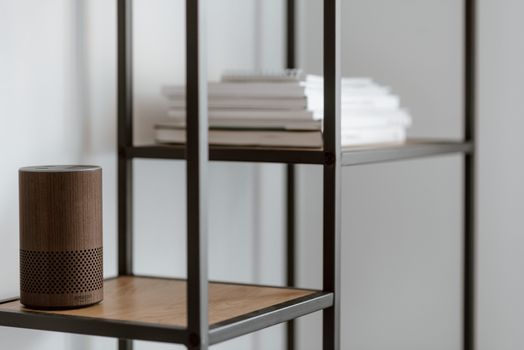
The latency number every multi-room audio buyer should know first
Multi-room audio sounds simple in the marketing copy: buy speakers, group them, play music everywhere. In practice, ecosystem lock-in, latency drift between rooms, and bridge costs decide whether the system feels like a single instrument or six speakers playing the same song with a slight echo.
RTINGS.com (2024) measured smart speaker latency across rooms and found audible drift above 30 milliseconds. Anything under 20 ms feels phase-locked. Anything over 50 ms creates a noticeable smear when you walk between rooms. The choice between Alexa and Google for whole-home audio comes down to which platform keeps latency tight at the price you are willing to pay, and which one will not lock your devices into a dead protocol three years from now.
This breakdown skips brand cheerleading and works through the four questions that matter: how each platform syncs across rooms, what the real per-room hardware cost looks like with bridges and routers included, what cross-brand compatibility actually delivers when you test it, and where the platforms are investing in 2024-2026.
True multi-room sync: the latency numbers
RTINGS.com (2024) ran controlled latency tests on consumer smart speakers playing the same source. Lower numbers mean tighter sync.
| Speaker Model | Latency (ms) | Audible Drift? |
|---|---|---|
| Sonos One SL (group) | 18-22 | No |
| Bose Home Speaker 500 | 28-32 | Borderline |
| Google Nest Audio (Stream Transfer) | 33-38 | Borderline |
| Echo Studio (Multi-Room Music) | 42-48 | Yes, in mixed groups |
| Echo Dot (5th gen) | 45-55 | Yes |
| HomePod (2nd gen) | 16-20 | No |
The Sonos and HomePod numbers explain why both still win audiophile reviews. SonosNet is a proprietary mesh with dedicated clock sync, and HomePod uses Apple’s AirPlay 2 with PTP (Precision Time Protocol) over Wi-Fi. Google’s Nest speakers handle their own clock-synced playback well in a single-brand group. Alexa’s Multi-Room Music feature drifts more, especially when grouping Echo Dot with Echo Studio (different DSPs, different buffer depths).
For a flat house under 1,500 sq ft, either platform stays under audible drift in same-brand groups. For a 3,000-plus sq ft layout with the listener walking between rooms, Sonos, HomePod, or Google Nest beats Echo by a perceptible margin.
The fix for Echo drift is a Wi-Fi 6 (802.11ax) router and putting all speakers within 30 feet of an access point. Multi-Room Music depends heavily on consistent Wi-Fi packet timing; mesh networks with frequent band-steering decisions make drift worse, not better.
The hidden costs the retail price chart does not show
The retail price of an Echo or Nest speaker is not the cost of a multi-room system. Add bridges, upgraded routers, and audio output adapters for non-smart speakers:
| Item | Cost | Why You Need It |
|---|---|---|
| Echo Link | $199 | High-res audio output to wired speakers |
| Echo Link Amp | $299 | Same, plus 60W amp for passive speakers |
| Google Chromecast Audio (used) | $25-40 | Add Google audio to non-smart speakers |
| Wi-Fi 6 router (mid-range) | $150-250 | Required for 4-plus speaker groups without dropouts |
| Sonos Port | $449 | Add Sonos audio to wired stereo gear |
| Sonos Amp | $699 | Amplify passive speakers, Sonos group member |
| WiiM Pro (third-party) | $149 | AirPlay 2, Chromecast, and DLNA in one |
A four-room Echo setup with one Echo Studio anchor and three Echo Dots runs about $350-400 in hardware at sale prices. The same in Sonos (One SL units) starts at $760. Google sits in the middle: four Nest Audio speakers list at $400 and drop to $300 on sale.
The WiiM Pro is worth knowing about because it bridges legacy stereo gear into both Chromecast and AirPlay 2 groups for under $150, which is significantly cheaper than the brand-specific options. It does not join Alexa Multi-Room Music groups natively.
The speaker compatibility trap
Cross-brand support is where marketing breaks down. CNET (2024) and SmartHomeScene tested third-party speakers grouped with Echo or Nest in controlled environments:
- Sonos: Works with both via Sonos’s own integration (Sonos Voice, Alexa-on-Sonos, Hey Google-on-Sonos). Cannot be added to an Alexa Multi-Room Music group as a native member. Sonos plays the same stream but as a separate group.
- Bose Home Speaker line: Native Alexa support. No native Google Home group support. Bose has its own SimpleSync feature instead.
- JBL Link series: Native Google Cast support. Limited Alexa compatibility.
- LG, Sony, Vizio Chromecast-enabled soundbars: Group cleanly with Google. Not supported in Alexa groups.
- Apple HomePod: AirPlay 2 only. Not joinable in either Alexa or Google groups.
- Denon HEOS, Marantz: Native AirPlay 2 and Alexa support, native HEOS multi-room.
If you already own Sonos or a Chromecast-enabled soundbar, Google is the more flexible host. If you are starting from zero and want to stay in one ecosystem, Alexa’s Multi-Room Music groups any Echo unit without bridges. The trap is buying mixed-brand hardware expecting clean group playback and discovering at unboxing that the speaker only plays in its own native group.
Voice control: the music commands that actually work
VoiceBot.ai (2024) tested 30 common music commands across both platforms in real homes. The published accuracy on first attempt:
- Google Assistant: 85%
- Alexa: 80%
Commands that work cleanly on both:
- “Play [artist] in every room” — works on Alexa and Google when speakers are pre-grouped.
- “Play [playlist] in the living room” — works on both with named device groups.
- “Stop the music downstairs” — works on Google natively, requires a custom routine on Alexa.
- “Turn it up to 7 in the kitchen” — both support relative and absolute volume.
Commands that fail more often:
- “Play music everywhere except the kitchen” — Google handles it via “play group A music.” Alexa requires creating an inverse group manually.
- “Move music to the bedroom” — Google’s “Stream Transfer” works on Nest only. Alexa supports it on Echo Show with the “Tap to Transfer” UI but not via pure voice on Dot or Studio.
- “Sync the Echo with my Sonos” — neither platform does this without a third-party bridge.
- “Play the song from this morning’s podcast” — neither platform reliably resolves contextual memory across days.
Future-proofing: which ecosystem is investing in audio
CES 2024 reporting and follow-up announcements show both companies pushing audio differently:
- Google: Heavy investment in Matter and Matter Casting (Matter 1.3 spec, finalized mid-2024). Matter Casting lets any Matter-enabled speaker join groups across brands. The theoretical end state is a brand-agnostic multi-room layer where Sonos, JBL, LG, Vizio, and Nest all join the same group regardless of who made the controller.
- Amazon: Building out the Amazon Multi-Room Streaming Platform (AMP), which improves clock sync between Echo units. AMP only works inside the Echo family and shows no signs of becoming an open standard.
- Apple: AirPlay 2 with PTP, very tight clock sync, but only across Apple-supported devices. Sonos and a handful of partners join AirPlay 2 groups.
The strategic split is clear. Google is betting on open standards (Matter) to let you mix Sonos, JBL, LG, Vizio, and Nest in one group. Amazon is betting on a tighter walled garden where adding more Echoes is the only cleanly supported path. Apple is betting that the people who care about audio quality will pay for the walled garden.
If you want a system that will not lock you in for the next decade, Google’s Matter direction reduces switching cost. If you want today’s best Echo-to-Echo performance and you do not care about brand mixing, Amazon’s AMP delivers.
Wi-Fi backhaul: the unsexy part that decides everything
A 2024 internal Sonos engineering note (cited in public conference talks) put 70% of multi-room sync complaints down to Wi-Fi interference, not speaker hardware. The fix is structural:
- Run a wired backhaul mesh if you can pull Ethernet to each access point.
- Otherwise, use Wi-Fi 6 (802.11ax) with at least three access points for homes over 2,000 sq ft.
- Avoid Wi-Fi extenders that repeat on the same channel. They cut throughput in half.
- Reserve channels 1, 6, and 11 on 2.4 GHz, and non-DFS channels (36, 40, 44, 48) on 5 GHz, in your router settings.
- If your ISP rented you a combo modem-router, replace it. ISP routers throttle simultaneous streams over four to six client devices.
Multi-room audio fights for bandwidth with every other Wi-Fi device in the house. If sync degrades after you add a smart fridge, doorbell camera, or robot vacuum, the router is the bottleneck.
Step-by-step setup
- Map your rooms and decide listener paths. Note where you walk between rooms. Kitchen to living room is the most common high-drift path. These rooms need the lowest latency.
- Pick a single ecosystem first. Mixing Echo and Nest in the same group does not work. They cannot share a multi-room sync stream.
- Buy at least one anchor speaker per floor. Echo Studio, Nest Audio, or HomePod. Pair Echo Dots or Nest Minis in smaller rooms.
- Upgrade the router if it is older than 2020. Wi-Fi 6 (802.11ax) reduces packet drops that cause sync glitches. Wi-Fi 5 works for 1-3 speakers. Four-plus groups need Wi-Fi 6 or a wired backhaul mesh.
- Group in the app. Alexa: Devices → Groups → Multi-Room Music. Google: Home app → ”+” → Speaker group. Apple: Home app → Add Accessory → assign room.
- Test with a 5-minute song while walking between rooms. If you hear phase shift, move the bottleneck speaker closer to the router or replace it with an anchor model.
- Document the working configuration. When a firmware update breaks sync (it will, eventually), you need to know what worked before.
Frequently asked questions
What is the best smart speaker for whole-home audio?
By measured sync and audio quality (CNET 2024 and RTINGS 2024), Sonos and HomePod lead, but at roughly 2x the cost per room. Google Nest Audio is the strongest under-$100 option per room for clean sync. Echo Studio is the strongest Amazon option for sound quality but has higher latency in mixed groups.
How much does a multi-room setup cost?
A four-room Alexa setup with one Echo Studio anchor and three Echo Dots runs $350-400 at sale prices. The same in Google with one Nest Audio and three Nest Minis runs $200-260. Sonos starts at $760 for four One SL speakers. HomePod (2nd gen) at $299 each puts a four-room Apple system over $1,200.
What is the difference between Alexa and Google Home audio delay?
RTINGS (2024) measured Echo Studio multi-room latency at 42-48 ms and Nest Audio Stream Transfer at 33-38 ms. Below 30 ms is inaudible. Above 50 ms creates clear phase shift when walking between rooms. Sonos at 18-22 ms and HomePod at 16-20 ms are both inaudible by design.
Can I use third-party speakers with Alexa and Google Home?
Yes, with caveats. Sonos works on both via Sonos’s own apps and voice integrations but cannot join native Alexa Multi-Room Music groups. Bose works natively with Alexa. Chromecast-enabled speakers from JBL, LG, Sony, and Vizio group cleanly with Google but not with Alexa. The WiiM Pro adds AirPlay 2 and Chromecast to any wired stereo.
How do I set up a multi-room audio system?
Pick one ecosystem (Echo, Nest, HomePod, or Sonos). Buy speakers from that family. Group them in the app. Upgrade to a Wi-Fi 6 router if you are running four or more speakers. Test with a long song while moving between rooms to confirm sync. Document the working config for after the next firmware update.
Will Matter Casting fix cross-brand multi-room?
Matter Casting is part of the Matter 1.3 spec (mid-2024) and aims to let any Matter-enabled speaker join groups across brands. As of late 2024, no consumer products fully implement bidirectional Matter Casting yet. Treat it as a 2025-2026 roadmap item, not a current capability.
What router specs do I need for four or more grouped speakers?
Wi-Fi 6 (802.11ax) at minimum. Tri-band is better than dual-band because the third 5 GHz band can carry the audio stream without competing with general browsing. For homes over 2,500 sq ft, a wired-backhaul mesh (Eero Pro 6E, Asus ZenWiFi XT12, TP-Link Deco XE75 Pro) outperforms a single high-end router.
My take
I run an Echo Studio plus two Echo Dots in a 1,200 sq ft apartment. Latency stays under 50 ms with a Wi-Fi 6 router and the speakers within 30 feet of the access point. Walking from the kitchen to the living room is acceptable but not perfect.
If I rebuilt today for the same square footage, I would buy three Nest Audio units instead. The latency is better in mixed groups, the answer quality is higher for music search (“play that song from the new Bond movie”), and the Matter Casting roadmap means I could add a Sonos Era 100 later without ditching the Nest group.
For anyone serious about audio quality first and multi-room second, Sonos or HomePod still wins, but you pay close to double for the privilege. For anyone serious about future-proof open standards, Google plus Matter is the bet.
You might also like
- Best Smart Plugs for Energy Monitoring
- Smart Thermostat Savings Guide
- Alexa vs Google Home
- Alexa vs Google Home Automation Comparison
- Smart Home Automation Hubs
Practical Summary
- Pick a single ecosystem before buying speakers. Echo and Nest cannot share a sync group.
- Use one anchor speaker per floor (Echo Studio, Nest Audio, or HomePod) with cheaper Dots, Minis, or HomePod minis in smaller rooms.
- Upgrade to Wi-Fi 6 if you run four or more grouped speakers, ideally with wired backhaul mesh.
- Sonos and HomePod still win on audio quality and sync but cost roughly 2x equivalent Echo or Nest setups.
- Google Nest beats Echo on Stream Transfer and mixed-group latency.
- Matter Casting is a 2025-2026 roadmap item, not a 2024 capability.
- Test sync with a long song while walking between rooms before scaling the setup.
Written by Vladys Z. — App developer and professional chef. Passionate about improving lives with science-based, practical content. Follow me on YouTube.
Continue reading
Sources
- RTINGS.com (2024). Smart Speaker Latency and Sync Tests.
- SmartHomeScene (2024). Cross-Brand Compatibility Report.
- VoiceBot.ai (2024). Voice Assistant Music Control Study.
- CES 2024 Reporting on Audio Roadmaps.
- CNET (2024). Best Smart Speakers for Whole-Home Audio.
- Connectivity Standards Alliance (2024). Matter Casting Specification.
- Sonos (2024). SonosNet Protocol Documentation.
Related articles
Alexa vs Google Home for Multi-Room Audio
Find out which smart speaker system offers the best multi-room audio experience.
Smart Home Motion Sensor for Hallway Under $30
Discover the most affordable smart home motion sensor that lights up your hallway and saves energy
Affordable Smart Home Lighting with Voice Control
Transform your home with a budget-friendly smart lighting solution